45 Best Utility Tools Websites Should Have To Turn Traffic Into Results
What You'll Find In This Article
- The 45 most useful tools, organized by what they actually do for your website
- Current pricing for every tool, including which ones are completely free
- Clear explanations of why each tool matters and who it suits best
- Tips on which tools pair well together to save money on your tech stack
Your website is not a brochure. It is a living system that needs the right tools to track visitors, load fast, stay secure, rank on Google, and turn traffic into real results. The good news is that hundreds of tools exist to help with exactly that, and a surprising number of them are free.
The problem most website owners face is not a lack of options. It is knowing which tools are actually worth adding and which ones are just noise. After reviewing dozens of options in each category, this list cuts through the clutter and gives you the 45 that genuinely move the needle.
1. Google Search Console
Price: Free
Google Search Consoleshows you how your website performs in Google Search. You can see which keywords are bringing people to your site, which pages get the most clicks, and whether Google can crawl your pages properly. It also alerts you when there are technical problems, like broken links or mobile usability issues, before they hurt your rankings.
Every website needs this. It connects directly to Google, so the data is as accurate as it gets. Set it up the day you launch your site.
2. Google Analytics 4 (GA4)
Price: Free. Enterprise plan (GA360) starts at around $50,000/year for very high-traffic sites.
Google Analytics 4 is the standard free tool used by over 80% of websites to track where visitors come from, what they do on the site, and whether they complete goals like purchases or sign-ups. GA4 is event-based, which means it can track specific actions like button clicks, scroll depth, and video plays, not just page views.
The free version is more than enough for most small and mid-sized businesses. Connect it to Google Search Console to get a fuller picture of your organic traffic.
3. Semrush

Price: Pro plan starts at $139.95/month. Free tier available with limited features.
Semrush is an all-in-one marketing toolkit that covers keyword research, competitor analysis, backlink tracking, and site auditing. It is particularly useful for content planning because it shows you exactly what your competitors rank for and where they are getting their traffic.
If you are serious about growing organic traffic, Semrush gives you more information in one place than almost any other tool. The free tier lets you run a handful of searches per day before asking you to upgrade.
4. Ahrefs
Price: Starts at $129/month. A limited free plan is available.
Ahrefs is best known for having one of the largest backlink databases available. It is the tool most SEO professionals turn to when they want to understand why a competitor outranks them or where their own link profile has gaps. Beyond backlinks, it also handles keyword research, content gap analysis, and rank tracking.
Ahrefs costs $1,548 per year at the base plan, which is a meaningful investment, but for sites competing seriously in search, the data often pays for itself quickly.
5. Screaming Frog SEO Spider
Price: Free for crawls up to 500 URLs. Paid license is $259/year.
Screaming Frog is a website crawler that audits your site for common SEO issues. The free version handles basic technical auditing: broken links, titles, meta descriptions, headings, and image alt text. The paid version removes all limits and adds JavaScript rendering, API integrations, and custom data extraction.
For technical SEO work, nothing matches its depth at this price. It is a downloadable desktop application, not a web app, so you run it on your own computer.
6. Rank Math SEO
Price: Free. Pro version starts at $59/year.
Rank Math is a WordPress plugin that helps you optimize every page and post for search engines. It guides you through on-page SEO, manages your sitemap, adds schema markup automatically, and integrates with Google Search Console to pull ranking data directly into your dashboard.
The free version is genuinely powerful. Many WordPress site owners find it more capable than competing plugins that charge from day one.
7. Yoast SEO
Price: Free. Premium is around $99/year.
Yoast is one of the most widely installed SEO plugins for WordPress. It gives you a content analysis score for each page, manages technical SEO settings like canonical tags and XML sitemaps, and helps you write better meta descriptions. The premium version adds internal linking suggestions and redirect management.
If you are already comfortable with Rank Math, you do not need both. Choose one and use it consistently.
8. Google PageSpeed Insights
Price: Free
Google PageSpeed Insightstests how fast your web pages load on both mobile and desktop and gives you a score out of 100. More importantly, it explains exactly what is slowing your site down, with specific suggestions like compressing images, reducing unused JavaScript, or enabling browser caching.
Since Google uses page speed as a ranking factor, this tool is something every website owner should check regularly, at least once a month.
9. Screaming Frog Log File Analyser
Price: Free
This is a companion tool to Screaming Frog SEO Spider. It reads your server log files and shows you which pages Googlebot is actually crawling and how often. If you have a large site and want to make sure Google is spending its crawl budget on your most important pages, this tool makes that visible.
It is a niche tool, but for sites with hundreds or thousands of pages, it is invaluable.
10. Google Trends
Price: Free
Google Trends shows how search interest in any topic changes over time. You can compare multiple keywords, filter by country, and see whether a topic is growing or declining. This is especially useful for content planning because it helps you identify topics your audience is actively searching for right now.
It does not show exact search volumes, but for spotting trends early, it is one of the most reliable free signals available.
11. Microsoft Clarity
Price: Free
Microsoft Clarity offers unlimited sessions, unlimited heatmaps, and unlimited data retention for 13 months, with no credit card required and no paid upgrade path. It shows heatmaps of where visitors click, scroll maps showing how far down pages users read, and session recordings so you can watch exactly what a real visitor did on your site.
All features remain free with no announced changes. Clarity's tracking script is lightweight and loads asynchronously, so most sites see negligible performance impact. The trade-off is that Microsoft uses anonymized data to improve its advertising and AI products. For most websites, that is an acceptable exchange for a fully free, unlimited tool.
12. Hotjar

Price: Free plan available (limited sessions). Growth plan starts at $49/month billed annually.
Hotjar is best thought of as Microsoft Clarity's paid cousin. It offers heatmaps and session recordings like Clarity, but it adds something Clarity does not have: user feedback tools. With Hotjar, you can add on-page surveys, feedback widgets, and exit polls that ask visitors why they are leaving or what they are looking for.
Hotjar's Growth plan is $49/month billed annually, and all plans include unlimited user seats at no additional cost. If you want to know not just what visitors do but why they do it, Hotjar is worth the cost.
13. Google Tag Manager
Price: Free
Google Tag Manager lets you add tracking codes, analytics scripts, and marketing pixels to your website without touching your code every time. Once the Tag Manager container is installed, you can add and update tags through a simple interface. This means your developer does not need to be involved every time marketing wants to add a new tool.
It supports hundreds of built-in tag templates and works with virtually every major analytics and advertising platform.
14. Lucky Orange

Price: Starts at $32/month. Free plan with 100 sessions/month.
Lucky Orange combines heatmaps, session recordings, live visitor monitoring, and chat in one dashboard. One feature that stands out is the live view: you can watch what a visitor is doing on your site in real time and trigger a chat message to help them if they look stuck.
It is a good middle ground between the free simplicity of Microsoft Clarity and the deeper feedback tools of Hotjar.
15. GTmetrix
Price: Free plan available. Pro starts at $5/month.
GTmetrix measures your website's load time and performance score, then breaks down every single element on the page to show you what is slowing it down. It tests from multiple server locations and lets you simulate different connection speeds, which is useful for understanding how your site performs for visitors on slower mobile networks.
The free plan is enough for regular performance checks. The paid plan adds scheduled monitoring and alerts when performance drops.
16. Cloudflare

Price: Free plan available. Pro plan starts at $20/month.
Cloudflare is a content delivery network (CDN) and security platform that sits between your visitors and your server. It caches your site's content across data centers around the world so pages load faster for visitors wherever they are. It also provides DDoS protection, a firewall, and basic bot blocking on the free plan.
For most websites, the free Cloudflare plan alone provides a meaningful improvement in both speed and security. It is one of the first things to set up on any new site.
Don't Miss: How To Create A Job-Winning Portfolio Like A Pro
17. WP Rocket

Price: Starts at $59/year for one website. No free version.
WP Rocket is a premium WordPress caching plugin that improves site speed without requiring any technical knowledge. It handles page caching, file compression, lazy loading of images, and database cleanup automatically. It works well out of the box and is compatible with most WordPress themes and plugins.
For WordPress sites that need faster load times, WP Rocket is often the simplest and most effective investment.
18. TinyPNG

Price: Free for up to 20 images per month. Pro API starts at $25/year.
Images are one of the biggest causes of slow websites, and TinyPNG compresses them without any visible loss in quality. It supports PNG and JPEG formats and reduces file sizes by up to 80%. There is also a WordPress plugin that automatically compresses images when you upload them.
If your site has a lot of images, especially a photography portfolio, real estate site, or e-commerce store, this tool should be installed before you add another image.
19. Cloudinary
Price: Free plan available (up to 25 credits). Paid plans from $89/month.
Cloudinary handles image and video delivery for your website. It stores your media files, automatically optimizes them for different devices, and delivers them through a fast CDN. The free plan is generous enough for small sites. Larger sites benefit from automatic format conversion (like serving WebP to browsers that support it) and responsive resizing.
It is especially useful for media-heavy websites that want images to load fast on every device without manually creating multiple versions.
20. Google Lighthouse

Price: Free
Google Lighthouse is an open-source tool built into Chrome DevTools that audits your website for performance, accessibility, best practices, and SEO. You run it directly in your browser, and it gives you a score out of 100 in each category along with specific recommendations.
It is the tool Google itself uses to define what a high-quality web experience looks like. Running it regularly helps you catch issues before they affect your rankings or user experience.
21. Wordfence
Price: Free. Premium starts at $119/year.
Wordfence is the most widely used WordPress security plugin. The free version includes a firewall, malware scanner, and login security features. It blocks malicious traffic before it reaches your site and alerts you when it detects suspicious activity.
The premium version adds real-time firewall rules and malware signature updates, which means it responds to new threats faster. For any WordPress site, Wordfence should be installed from day one.
22. Sucuri

Price: Website security plans start at $199.99/year.
Sucuri is a professional website security service that monitors your site for malware, blocks attacks through its firewall, and cleans your site if it does get infected. Unlike Wordfence, which is primarily a plugin, Sucuri acts as a cloud-based security layer for sites on any platform.
The standout feature is malware removal. If your site gets hacked, Sucuri's team will clean it for you as part of the plan. That reassurance alone is worth the annual cost for business websites.
23. SSL For Free (ZeroSSL)
Price: Free. Paid certificates start at $10/year for additional features.
Every website needs an SSL certificate to display the padlock icon in the browser and use HTTPS. Without it, browsers warn visitors that your site is not secure. ZeroSSL provides free SSL certificates that are recognized by all major browsers and renew automatically.
Most good hosting providers include free SSL certificates now, so check with your host before purchasing one separately. If yours does not include it, ZeroSSL is the fastest free solution.
24. MalCare

Price: Free scanner. Paid plans from $99/year.
MalCare is a WordPress security plugin that scans your site for malware using cloud-based scanning, which means the scan does not slow down your server. The free plan lets you scan your site for infections. The paid plan adds a one-click malware cleaner, a firewall, and staging site support.
It is a good alternative to Wordfence for site owners who want malware removal included without needing to dig into technical settings.
25. UptimeRobot
Price: Free for up to 50 monitors. Paid plans from $7/month.
UptimeRobot checks whether your website is online every five minutes and sends you an instant email or SMS alert the moment it goes down. It also tracks your site's response time and provides a public status page you can share with customers.
Website downtime that goes undetected for hours costs you visitors, sales, and trust. UptimeRobot is the simplest way to make sure you know the second something goes wrong.
26. Grammarly
Price: Free. Premium starts at approximately $12/month billed annually.
Grammarly checks your writing for spelling, grammar, punctuation, and clarity errors in real time. It works in your browser, inside Google Docs, and in most writing apps. The free version catches the most common mistakes. The premium version adds suggestions for tone, vocabulary, and sentence structure.
For any website that publishes blog posts, product descriptions, or landing page copy, Grammarly is a fast way to improve quality before anything goes live.
27. Hemingway Editor
Price: Free online. Desktop app is a one-time purchase of $19.99.
The Hemingway Editor highlights sentences that are too long, words that have simpler alternatives, and phrases in passive voice. It gives your writing a readability grade and pushes you to write in a way that is easier for web readers to scan.
It does not check for grammar like Grammarly. Instead, it focuses purely on making your writing cleaner and more direct. Using both tools together takes only a few extra minutes and significantly improves how your content reads.
28. Copyscape
Price: Pay-per-search. Premium starts at $0.03 per page checked.
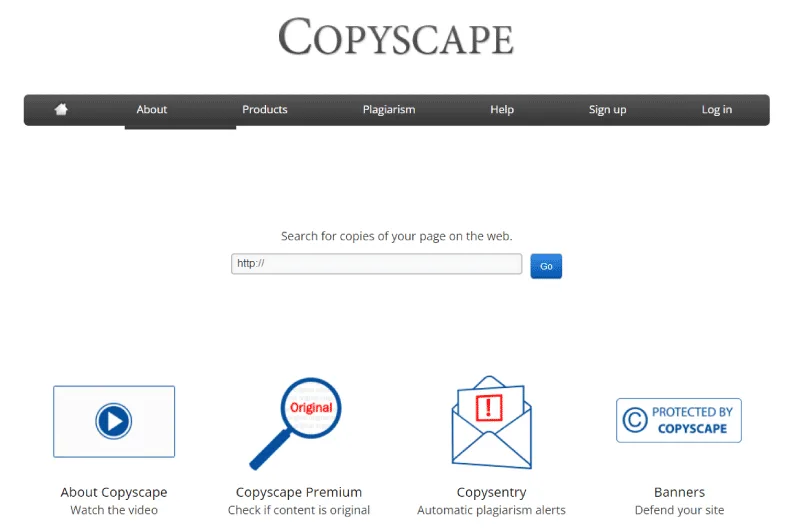
Copyscape checks whether content on your website has been copied somewhere else online, or whether content you are about to publish is a duplicate of something already on the web. This matters because Google penalizes sites with duplicate content.
For site owners who publish a high volume of content or use freelance writers, Copyscape is the fastest way to verify that every piece is original before it goes live.
29. Surfer SEO

Price: Starts at $99/month. No free plan.
Surfer SEO analyzes the top-ranking pages for any keyword and tells you exactly what your own content needs to cover to compete. It looks at word count, keyword usage, headings, and content structure, then gives you a real-time score as you write.
It is one of the most direct ways to close the gap between your content and what Google is already rewarding. Best suited for sites that are serious about content marketing.
30. Mailchimp

Price: Free for up to 500 contacts. Essentials plan starts at $13/month.
Mailchimp is one of the most widely used email marketing platforms. It lets you build an email list, design campaigns, set up automated sequences, and track open rates and click rates. The free plan includes basic automation and supports up to 500 subscribers.
For websites that collect email addresses to stay in touch with their audience, Mailchimp is a reliable starting point that you can grow with over time.
31. Brevo (formerly Sendinblue)

Price: Free plan available. Starter plan starts at $25/month.
Brevo is an email marketing and SMS platform that offers a generous free tier: up to 300 emails per day with no contact limit. Unlike Mailchimp, the free plan is based on email volume rather than the number of contacts, which makes it more useful for sites with large lists that send fewer campaigns.
It also includes transactional email (like order confirmations and password resets), which makes it a good all-in-one solution for e-commerce sites.
32. Typeform
Price: Free plan (up to 10 responses/month). Basic plan starts at $25/month.
Typeform creates beautiful, conversational forms and surveys that feel like a real interaction rather than a form. They are far more engaging than standard contact forms and consistently achieve higher completion rates. You can use them for lead generation, customer feedback, quizzes, job applications, and more.
If you are currently using a generic contact form and getting low response rates, switching to Typeform often makes an immediate difference.
33. WPForms
Price: Free lite version. Pro starts at $49.50/year.
WPForms is a WordPress form builder that creates contact forms, payment forms, newsletter sign-ups, and surveys with a drag-and-drop editor. It integrates with Mailchimp, Stripe, PayPal, and most popular email marketing tools out of the box.
For WordPress users who need reliable, flexible forms without learning to code, WPForms is one of the simplest solutions available.
34. WAVE Web Accessibility Evaluation Tool
Price: Free online tool and browser extension.
WAVE checks your website for accessibility errors that might prevent people with disabilities from using it. It highlights problems like missing image alt text, poor color contrast, missing form labels, and broken ARIA attributes directly on the page.
Web accessibility is both a legal requirement in many countries and good practice for reaching the widest possible audience. WAVE gives you a clear, visual report that requires no technical knowledge to understand.
35. Axe DevTools
Price: Free browser extension. Pro version has custom pricing.
axe DevTools is a browser extension that runs an accessibility audit on any web page. It is built into Chrome and Firefox and integrates with popular testing frameworks. The free version identifies the most common accessibility violations and explains how to fix each one.
It is the tool most used by developers to catch accessibility issues before they reach production.
36. UpdraftPlus
Price: Free. Premium starts at approximately $70/year.
UpdraftPlus is a WordPress backup plugin that automatically backs up your entire site, including files and database, on a schedule you set. Backups can be sent to cloud storage like Google Drive, Dropbox, Amazon S3, or a remote FTP server.
A single WordPress hack or server failure can wipe out months of work. UpdraftPlus is the simplest way to make sure you can restore your site in minutes rather than starting from scratch.
37. BlogVault
Price: Starts at $89/year.
BlogVault is a managed WordPress backup service that stores off-site copies of your site and lets you restore it with one click. It also includes a staging environment, migration tools, and MalCare security scanning as part of higher plans.
For business websites where downtime has a real financial cost, BlogVault's reliability and easy restore process make it worth the premium over a free plugin.
38. Stripe

Price: No monthly fee. Transaction fee of 2.9% + 30¢ per successful card charge.
Stripe is the payment processing platform most online businesses and developers prefer. It handles credit cards, debit cards, Apple Pay, Google Pay, and bank transfers. It integrates with virtually every e-commerce platform, CMS, and booking system. Setup is straightforward, and the dashboard gives you a clear view of revenue, refunds, and payouts.
There is no monthly subscription. You only pay when you make a sale, which makes it ideal for businesses at any stage.
39. WooCommerce

Price: Free plugin. Extensions and hosting costs vary.
WooCommerce is the most widely used e-commerce plugin for WordPress. The core plugin is free and turns any WordPress site into a fully functional online store. You can sell physical products, digital downloads, subscriptions, and bookings. The extension library has thousands of add-ons for everything from shipping calculators to advanced filtering.
For businesses that want full ownership of their store without monthly platform fees, WooCommerce is the standard choice.
40. Algolia
Price: Free up to 10,000 requests/month. Paid plans from $0.50/1,000 searches.
Algolia adds fast, intelligent search to your website. Unlike WordPress's built-in search, which is slow and basic, Algolia delivers results instantly as visitors type and handles typos and synonyms gracefully. It is used by thousands of e-commerce stores, documentation sites, and content-heavy websites.
If your site has more than a few dozen pages, products, or interactive tools such as a free age calculator, a good site search can be the difference between a visitor finding what they need and leaving.
41. SearchWP

Price: Starts at $99/year.
SearchWP is a WordPress plugin that replaces the default search with a far more powerful version. It searches across post content, custom fields, comments, and WooCommerce product data. You can control the weight given to each content type so the most relevant results appear first.
For WordPress-based e-commerce stores or content sites where visitors use search regularly, SearchWP is a straightforward upgrade that pays for itself in better user experience.
Also Read: How To Integrate Multimedia Into Your Portfolio
42. Buffer

Price: Free for up to three channels. Essentials plan starts at $6/month per channel.
Buffer lets you schedule and publish social media posts to multiple platforms from one place. You write your posts in advance, set a schedule, and Buffer publishes them automatically. It also provides basic analytics on which posts perform best so you can refine your content over time.
For website owners who want to share content consistently on social media without logging into multiple platforms every day, Buffer is one of the most efficient tools available.
43. Tawk.to
Price: Free. Hiring chat agents through their marketplace is paid.
Tawk.to is a completely free live chat plugin for any website. You install a small code snippet, and your visitors can chat with you in real time. There are no hidden fees, no subscriber limits, and no message limits. Revenue comes from their optional service of providing human chat agents if you need them.
For small businesses that want to offer live chat without any monthly cost, Tawk.to is the obvious first choice.
44. Tidio
Price: Free plan available. Paid plans from $29/month.
Tidio combines live chat with AI-powered chatbots that can answer common visitor questions automatically, even when you are offline. The chatbot can handle things like store hours, product availability, shipping questions, and booking requests without any human involvement.
For e-commerce stores and service businesses that get repetitive inquiries, Tidio's automation saves significant time while still giving visitors instant answers.
45. Intercom

Price: Essential plan starts at $39/month per seat.
Intercom is a customer messaging platform that goes well beyond live chat. It handles customer support, product announcements, onboarding messages, and help documentation in one system. It also includes AI-powered tools that can resolve customer issues automatically before they need to speak to a person.
It is overkill for a simple blog or local business site, but for SaaS products or businesses with high support volume, Intercom is industry-standard.
How To Choose The Right Tools For Your Website
You do not need all 50 tools at once. The right approach is to start with the essentials and add more as your site grows.
If you are just starting out, install Google Analytics 4, Google Search Console, Microsoft Clarity, and a security plugin for your platform. These four tools are free and give you a solid foundation of data and protection from day one.
If you are growing and getting consistent traffic, add a performance tool like GTmetrix or Cloudflare, a backup solution like UpdraftPlus, and an email marketing tool like Mailchimp. This is the stage where many site owners start seeing traffic but lose visitors because of slow pages or missed follow-ups.
If you are running a business websitewith real revenue tied to it, consider investing in Semrush or Ahrefs for SEO, Hotjar or Lucky Orange for user behavior insights, Sucuri for security, and Stripe for payments. The tools at this level pay for themselves when they help you convert more of the traffic you are already getting.
Frequently Asked Questions
Do I Need Separate SEO And Analytics Tools, Or Can One Tool Do Both?
You need both. Google Analytics 4 tracks what visitors do after they arrive on your site. Google Search Console shows how your site performs in search results before the click.
What Is The Most Important Tool To Install First On A New Website?
Google Search Console should be the first thing you connect to any new site. It verifies your ownership with Google, submits your sitemap, and starts collecting data on how your pages appear in search results. No other tool gives you that direct line of communication with Google.
Is It Safe To Install Multiple Analytics Tools On One Website?
Yes, but use them intentionally. Running Google Analytics 4 and Microsoft Clarity together is a common and sensible combination: GA4 handles traffic analysis and conversions while Clarity covers heatmaps and session recordings. Adding too many tracking scripts at once can slow your page load speed, which hurts both user experience and SEO.
Final Words
The tools on this list cover every major need a website has. The most important step is to start rather than trying to implement everything at once. Pick three tools from different categories that address your biggest current gap, install them this week, and spend a month learning what they tell you.
The data you collect over time becomes far more valuable than a dashboard you set up and never revisit. The websites that perform consistently well are not the ones with the most tools. They are the ones that actually use the data those tools produce.